



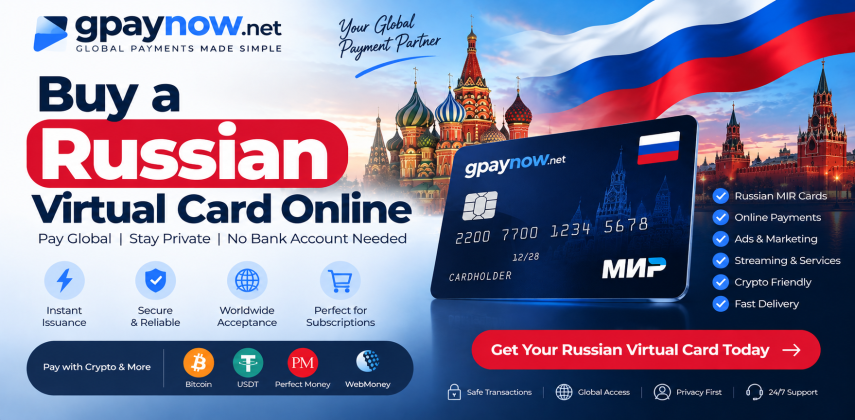
Need to pay a Russian website? Start with a card that fits its checkout. We’re Gpaynow, a virtual prepaid card provider. Our Russian MIR listing is the place to start for supported Russian online payments. We also offer separate Visa and Mastercard listings for other payment needs.
Use our guide to choose by merchant, compare the balance you
receive, and plan for repeat bills. Before you order, check
the exact card terms. The network logo alone does not confirm
that your payment will work.
View our Russian MIR card or compare our card range.
For a Russian site that takes MIR, start with our MIR offer. For a site outside Russia, review our separate Visa or Mastercard options. We recommend checking the issue country, merchant rules, and your buyer status before choosing.
| Your goal | What to check with us | Next step |
|---|---|---|
| Pay a Russian website in rubles | MIR support, buyer access, RUB balance, and any security prompt | Review our Russian MIR card |
| Pay a website outside Russia | A suitable foreign-issued Visa or Mastercard and permitted residence | Review the exact issuer and merchant rules |
| Pay a monthly bill | Repeat-payment support, expiry, and prepaid acceptance | Check the service before buying |
| Pay in shops or withdraw cash | A product that allows that use | Our public offer is for online purchases, with no ATM access |
Where you live, where the card was issued, and where the merchant takes payment can all affect the result. We recommend matching all three before you fund a card.
Start with our Russian MIR card if you need to pay a supported Russian merchant. Check the exact RUB balance you receive and whether the card meets your planned use.
Our virtual prepaid card gives you details for online checkout and uses funds paid in advance. Check reload and refund terms on the exact offer. These features vary by card program.
Review our Visa Virtual Universal listing for a separate payment need. Confirm the issue country, buyer rules, and accepted use. “Universal” is the product name, not a promise of approval at every site.
Our Mastercard Reloadable Classic listing is another option to review. Check the top-up terms and repeat-payment rules for the exact card before placing an order.
Russian-issued Visa and Mastercard cards face cross-border network restrictions. Do not buy one expecting normal overseas use. The official Visa notice and Mastercard notice explain the restrictions announced in March 2022.
Use a prepaid balance to plan a supported purchase or bill. You fund the card in advance and track the amount left to spend. Allow for fees and any pending holds.
A virtual product gives you card details for online use. There is no plastic card to enter at checkout. Confirm the issue time before you buy for an urgent payment.
A separate virtual card lets you pay without entering your main bank card number at the merchant. Keep your virtual card details private too. Digital card details can still be misused.
We link each offer to its own product page so you can choose by card type. Use our contact page if you need a missing term confirmed before buying.
We recommend checking the merchant and payment type together. A site may accept MIR but still reject a particular card or account.
| Payment type | Check before you order | What a card cannot solve |
|---|---|---|
| Russian online shopping | MIR checkout, currency, billing and delivery details | A store that does not deliver to your address |
| Domestic tickets or bookings | Card support, passenger details, and refund terms | Booking rules or document requirements |
| Russian digital services | Prepaid support and account eligibility | A service that does not serve your account or region |
| Repeat bills | Recurring charges, card expiry, and enough balance | A prepaid card type blocked by the service |
| Hotel deposits or other holds | Whether prepaid cards and deposits are accepted | A merchant requirement for a different card type |
We have not published card-level payment tests in this guide. Treat these as use cases to check, not a list of stores with proven approval. Your card also cannot complete a site’s own identity or account checks.
We suggest opening the merchant’s payment page first. Check four things: card network, billing currency, prepaid-card rules, and the account region. Read its help page if the checkout does not show them.
Look for rules on repeat bills and security prompts if you are buying a monthly plan. Save the relevant payment terms. A logo on the home page gives less detail than the checkout rules.
If the store requires a local delivery address or phone number, solve that before ordering your card. Choose a card only when the payment and account rules fit your use.
In a 13 February 2026 statement, the Bank of Russia said the cashless share had reached 88%, compared with 30% in 2015. That is a rise of 58 percentage points. Read the central-bank statement .
This is a broad payment figure, not MIR’s market share or a Gpaynow approval rate. We use it as context for digital payments in Russia. Your own purchase still depends on the merchant and card rules.
If you live outside Russia, confirm that your residence is supported before buying. Your passport, phone access, and the card’s identity-check rules may affect the steps you need to take.
Send us your current country of residence, the site name, the amount, and whether the bill repeats. Do not send passport scans or card codes through a normal support message. Use the approved secure flow if documents are required.
Check the rules at each stage: buying, card issue, funding, and spending. A purchase without an ID upload does not prove that later steps have no checks. Review our FAQ and terms before ordering.
A dollar price does not tell you how many rubles you can spend. For our MIR offer, confirm the loaded RUB balance and every charge that applies.
We suggest comparing offers this way: spendable RUB balance divided by total USD cost equals rubles received per dollar. Use the same funding currency and include all known charges.
| Illustrative offer | Total paid | Spendable balance | Net RUB per USD |
|---|---|---|---|
| Offer A | USD 100 | RUB 8,000 | 80 |
| Offer B | USD 100 | RUB 7,600 | 76 |
In this example, Offer A gives you RUB 400 more for the same payment. That is about 5.3% more spendable balance than Offer B. These are made-up teaching figures, not our prices or a live exchange rate.
Check support, refunds, and merchant fit too. A better rate has little value if the card does not suit your payment.
A “no monthly fee” label does not mean all use is free. Issue, funding, currency, and other charges may still apply. Read our card terms and confirm the full cost of your order.
If the site asks for a local account or phone number, check those rules before buying a card. Do not invent billing details to force a payment through.
A card may have enough funds and still fail. The service may block prepaid cards, require another issue country, or reject your account region. A failed code prompt can also stop payment.
Our prepaid card can help you keep a separate budget where the service accepts that card. It cannot change the service’s country rules or make a blocked card type work.
We suggest starting with the amount available to spend, not just the total you loaded. Pending holds may reduce that amount until they clear.
| Example only | RUB |
|---|---|
| Funds loaded | 3,000 |
| Pending hold | 300 |
| Available to spend | 2,700 |
| Next bill before any extra fees | 2,800 |
| Shortfall before any extra fees | 100 |
In this example, the card cannot cover the next bill even though you loaded more than the bill costs. Check fees and taxes too. These figures explain the math; they are not our card limits or prices.
For a monthly plan, we recommend a card that allows repeat bills and remains valid beyond renewal. The service must also accept prepaid cards from that issue country.
A first payment is not a test of future renewal. Keep enough balance for the bill, taxes, and fees. Some services place a small hold when you add a card.
Use a MIR card only for a service that supports it. For an overseas service, check its own country and payment rules before reviewing our Visa or Mastercard options. A card does not remove those rules.
| Payment status | What it can mean | Your next step |
|---|---|---|
| Declined | The payment was not approved | Check balance, card type, country, expiry, and security prompt before retrying |
| Pending | Funds may be held while payment status is resolved | Check the order and hold status; repeated attempts may create more holds |
| Refunded by the merchant | The merchant says it has sent money back | Keep the refund reference and check the issuer posting time |
If you need our help, send the site name, amount, currency, time, and error text through our contact page. Include a redacted receipt if you have one. Keep your full card number, CVV, and one-time code private.
We recommend using a strong password for your account and any extra sign-in check offered. Enter card details only on the merchant’s genuine checkout page. Never share a one-time payment code with someone offering help.
If you see a payment you did not make, contact us through the site and keep the payment record. Use a card freeze control if your program provides one. Report the issue without delay; dispute rights and deadlines depend on the card terms.
Before buying, check whether unused funds can be returned and which fees apply. A refund from a store and a request to close your card are different steps.
If a card is due to expire, ask us how a later refund would reach you. Do not close the card while a refund or dispute is still open without checking the process.
Cancel unwanted subscriptions with the service itself. Removing funds or closing a card does not cancel the contract or erase a bill you owe.
Our FAQ describes a dashboard withdrawal flow that needs admin approval. That does not mean every card balance can move back to your account. Confirm which balance the rule covers and what fees apply.
Our listed cards are for online purchases and exclude ATM withdrawals. A merchant refund, an account withdrawal, and an ATM cash withdrawal are three different actions. Check the terms for the action you need.
Not always. Russian can refer to the issuer or the intended payment use. We recommend checking the network, issuer, and currency on the exact offer.
Our page is for prepaid card options. Prepaid means you fund spending in advance. We do not use “credit card” to suggest a loan or credit line.
No. The currency used to price an order can differ from the card balance currency. Ask us for the exact RUB balance delivered after fees.
That depends on the card program. Ask us whether the exact offer requires an account, a linked wallet, or a phone number before you place an order.
Do not assume that you can. Our current FAQ states that identity checks are required before first card issue. Confirm the rule for your exact product before paying.
Only where the program permits their residence and other details. Ask us about your current residence and intended use. Remote access does not mean every country is allowed.
We have not supplied card-program test results for those services on this page. Check the service’s payment rules and ask us about your exact purchase. A network logo alone is not proof.
Use only the funding methods offered for your order. If crypto is shown, check the asset, network, amount, and fee with us before sending funds.
Check whether your chosen card is reloadable and what each load costs. Ask us about load limits and funding time. An initial balance does not prove top-ups are allowed.
The method depends on the program. Confirm how you receive an SMS or app prompt before buying. You need access to the approved method when the payment asks for a check.
Wallet support is a separate card feature. We do not promise it for an online-only product. Confirm the exact wallet, phone, and card program before buying for use in shops.
Our public card offer excludes ATM withdrawals. Do not assume person-to-person transfers are included. Check the exact terms with us if that is your main need.
Some hotels need a physical card, a credit card, or a deposit hold. Ask the hotel first. We recommend buying only after its rules match the card’s features.
Do not expect normal overseas use. Visa and Mastercard announced Russia network restrictions in 2022. Ask us to confirm the issue country of any separate foreign-card offer.
No. Repeat bills can have separate rules. Ask us about recurring support and check your expiry date and available funds before each renewal.
Timing depends on the merchant and issuer. Ask us for the stated range for your card. Keep the merchant refund reference; do not treat a refund notice as a posted balance.
A retail order does not itself grant resale rights. Ask us for a written business agreement that covers issuer approval, client access, refunds, and support.
Start by confirming your buyer status and use case. We recommend checking the card terms and testing an allowed purchase before committing to a larger balance.
MIR, Visa, and Mastercard are card networks. The issuer provides the card under its program rules. We recommend checking both; the logo alone does not explain fees, access, or limits.
That depends on the card and merchant. We recommend checking who converts the funds, the rate, and any fee. The order currency may differ from the balance and checkout currency.
Do not assume so. A service may reject prepaid cards for account checks even when it accepts some card payments. We do not promise account approval from a card number.
Check the amount available to spend. Holds, fees, and prior charges can reduce it. We also recommend checking the card type, account region, and security prompt.
No. It is a security check that may ask you to confirm a payment. We recommend checking how your card handles that prompt. The merchant or issuer can still decline the charge.
Check our refund terms before buying. A declined payment alone does not prove that the card order can be refunded. Share the error with us so we can help identify the cause.
Start with the website you want to pay and the amount you need. Review our Russian MIR offer for supported Russian online payments. For another payment need, compare our Visa and Mastercard listings and their terms.
View our Russian MIR card · Compare cards · Ask us before ordering